UI Kit
Your HUD, laid out your way
Move, resize and hide every part of Deadlock's HUD while you play, on the game's own look or one of the themes. It's the new HUD Fit, and does everything HUD Fit did.
What it does
Move anything
Drag any part of the HUD in a match. It snaps to the screen edges, the centre and other parts.
Size and hide
Make one part bigger, the whole HUD smaller, or hide what you never look at.
Fix 4:3 stretched
De-stretch the HUD when you play 4:3 stretched, part by part or all at once.
Themes
Switch the whole look: Arena, Retro Terminal, or add-ons like Health squares and Colour Assist.
Filters
Colour filters over the game, like Monochrome, Neon or Ghost, with a strength slider.
Save and share
Keep layouts on your account, share them, and use anyone else's with one click.
Performance
We measured UI Kit 0.8.3 with the game's own benchmark: the same 100-second Hero Testing demo played back with no fps cap, 5 times with UI Kit and 5 times without. On one PC (RX 7900 XTX, 4:3) it ran at 421 fps without UI Kit and 409 fps with it. That is about 0.06 ms more per frame. Your numbers will differ with your PC and settings.
Themes and add-ons you switch off are hidden and stop updating. UI Kit writes its own cost to the game's console every 30 seconds, as a line
starting with [UIKit] perf:, so you can check it on your PC.
Guides
Themes and add-ons
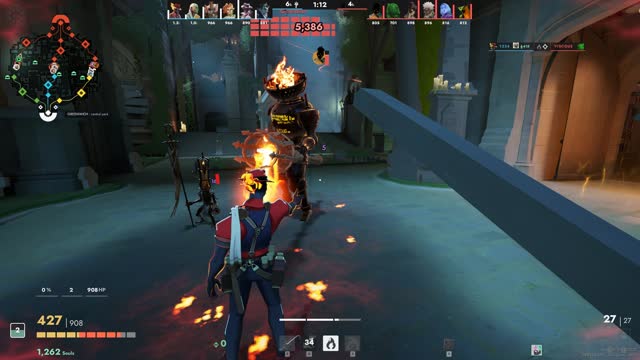 ThemeHUD Arena A clean hero-shooter HUD for Deadlock
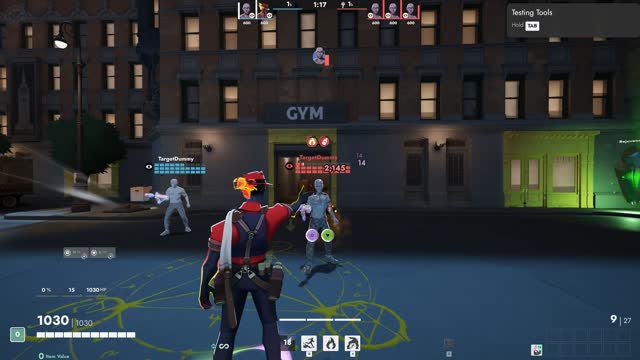 Add-onHUD Health squares Health bars as squares over every head
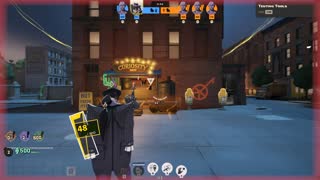 Add-onAccessibility Colour Assist Colour-blind friendly team and health colours
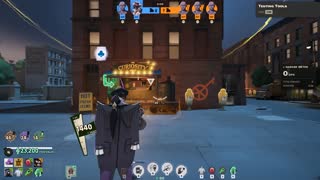 Add-onAccessibility Big Text Larger, easier to read numbers and text
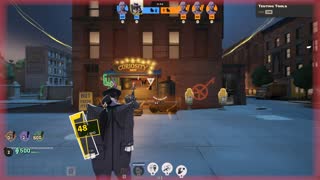 Add-onHUD Alerts Clear warnings when it matters
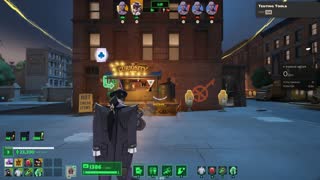 ThemeHUD Retro Terminal A green-phosphor CRT terminal HUD
Make your layout
- 1Start a match. Hero Testing is easiest.
- 2Press Esc and choose UI Kit.
- 3Drag the outlined parts, or pick one in the panel to size it, hide it or place it exactly.
- 4Press Done. Your layout is saved on your PC.
Save and share
- 1In the UI Kit panel, open Account and sign in with Steam.
- 2In Layouts, press Save this one. It appears in My layouts on this site.
- 3Share it from My layouts. Anyone can use a shared layout in their game with one click.